
FEATURES
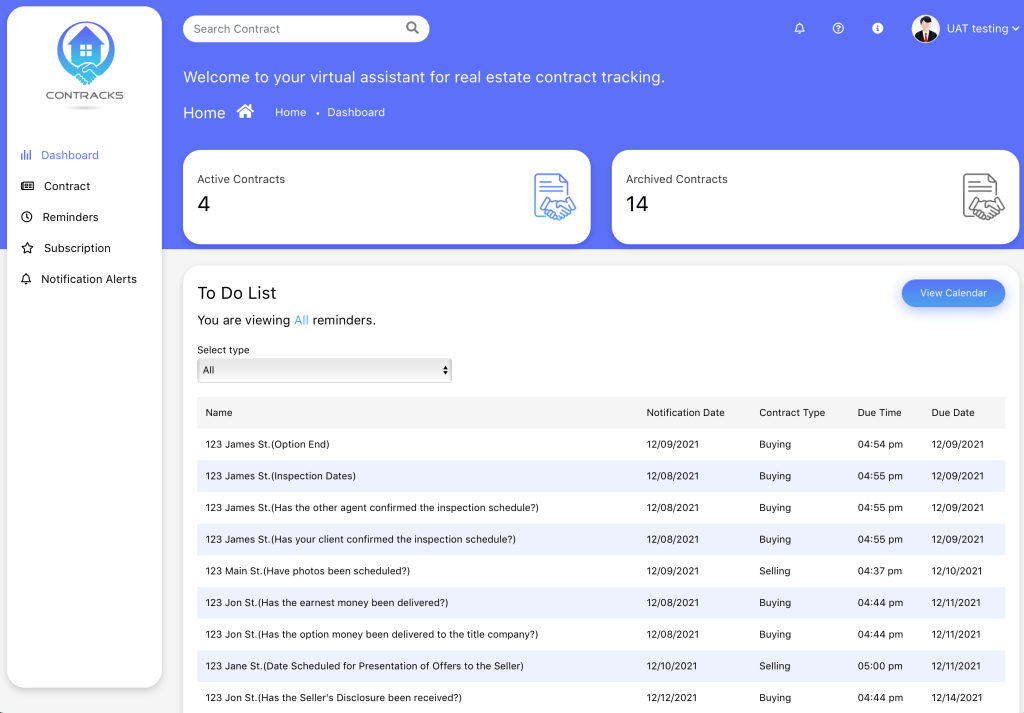
Dashboard
The dashboard is where you land when you first log-in. This is where you will see a list of every item coming up in order of due date. Clicking on these items takes you directly to where they are located within the application.
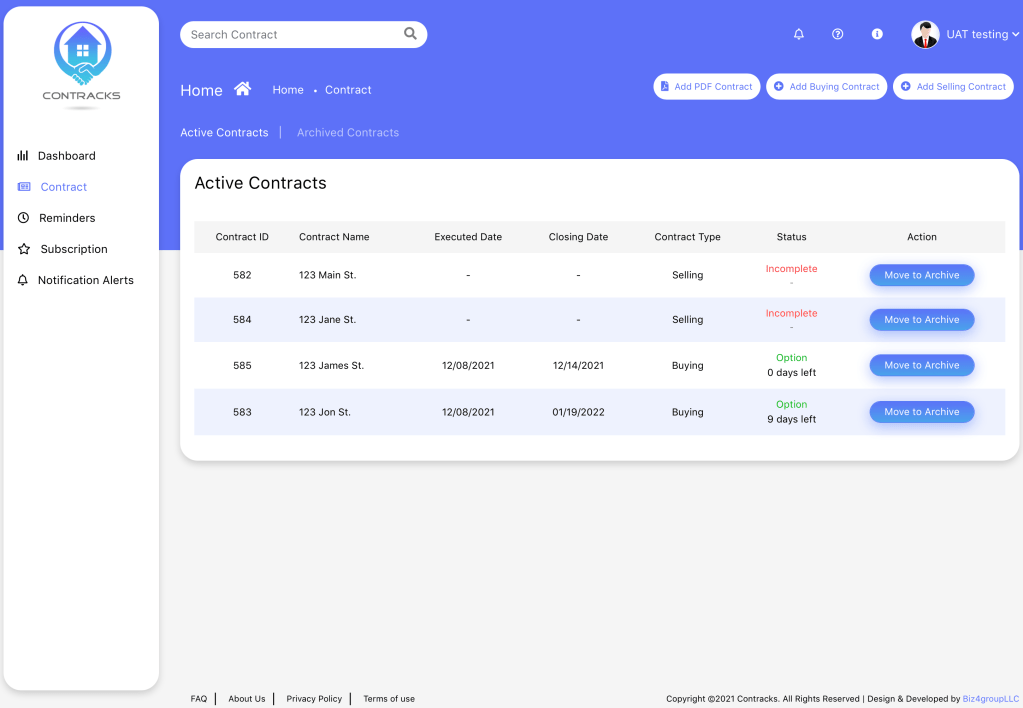
Contract with PDF Upload
This page allows you to manually add or upload a PDF to start any of your new contracts. This is also where you can see which contracts you have that are active or archived and where they are at in the contract process.
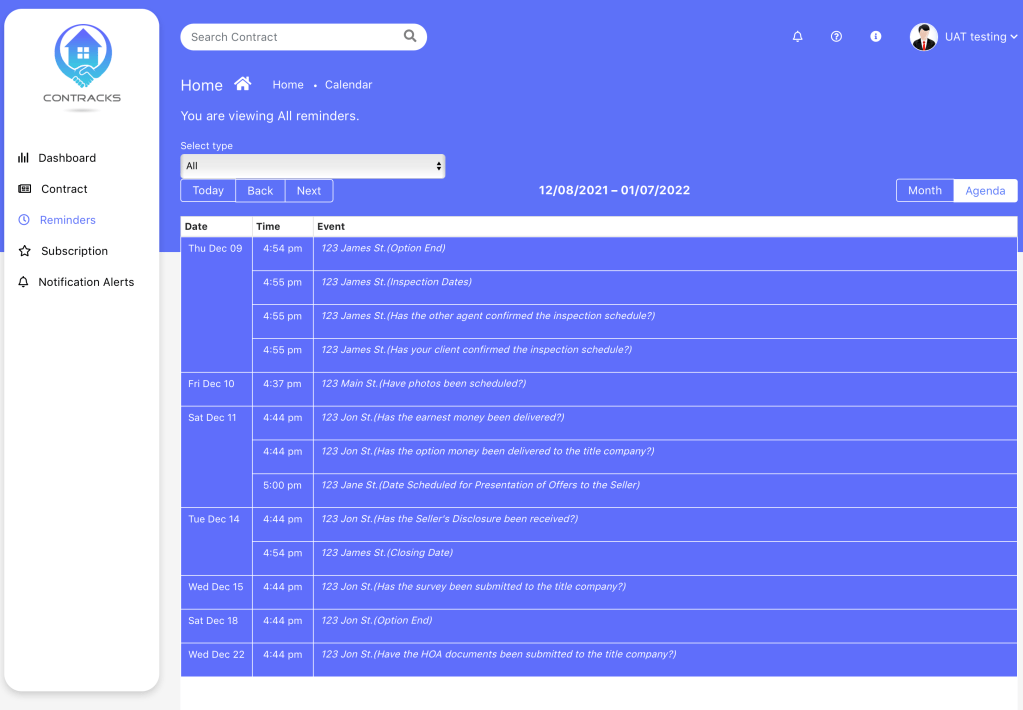
Agenda
The agenda displays your daily agenda in a monthly view. Clicking on these items takes you directly to where they are located within the application.
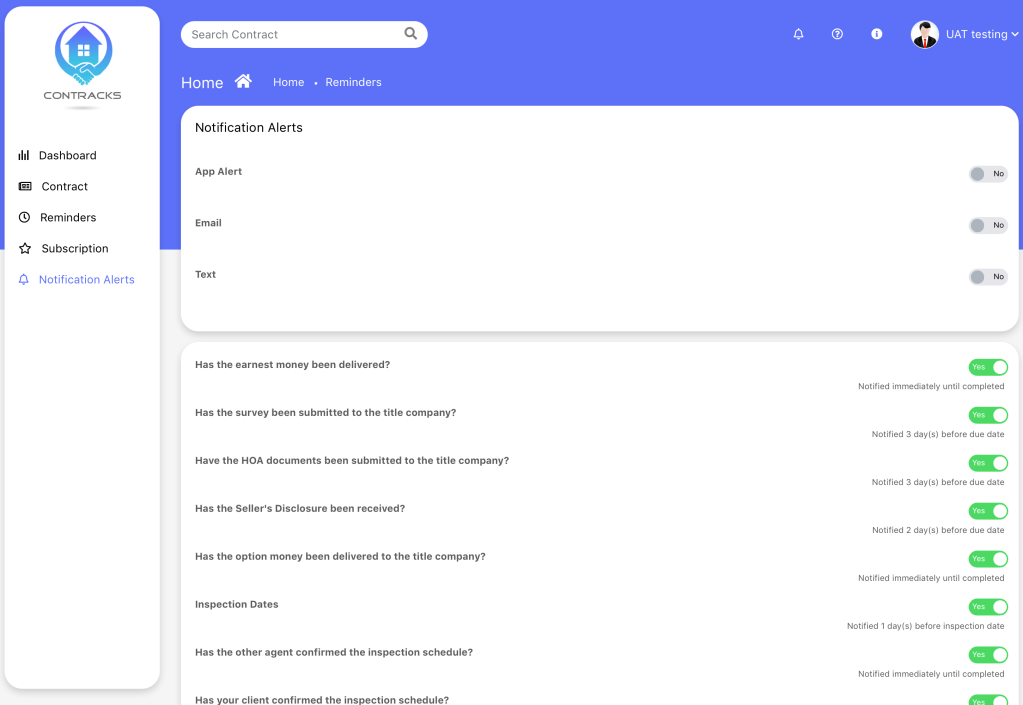
Notifications
The notifications page allows you to select which items you would like notifications for as well as how you would like send and receive these notifications.
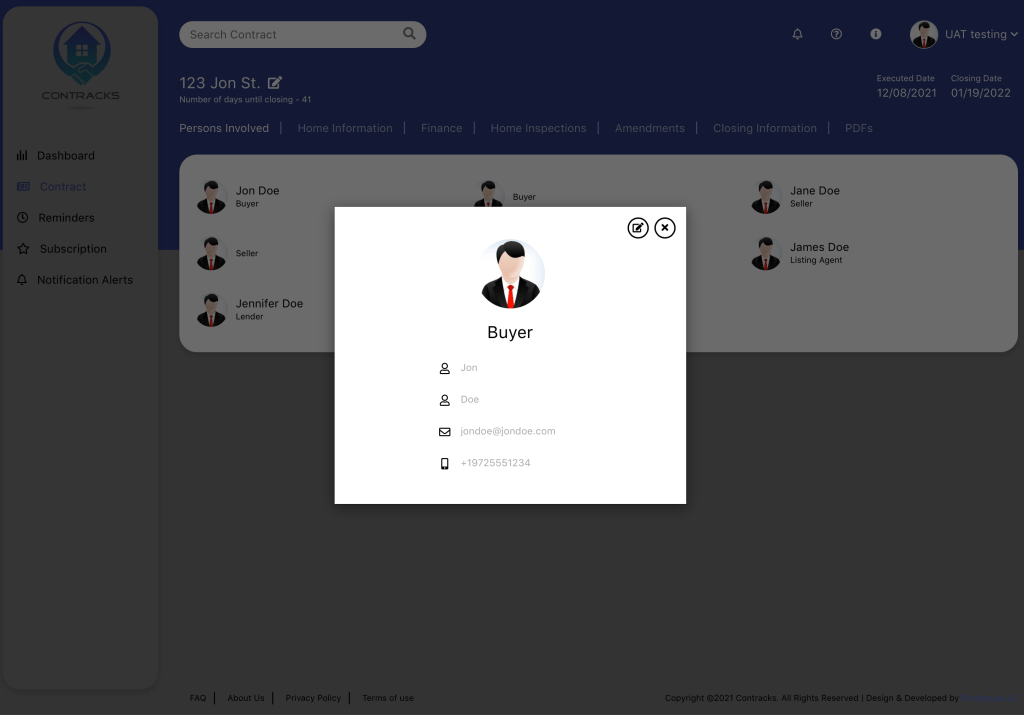
Persons Involved
This page allows you to quickly find any person’s contact information within each contract. No more navigating through emails to find out which title company has which contract!
 Contracks